1. On the login page, click the Forgot password? link.
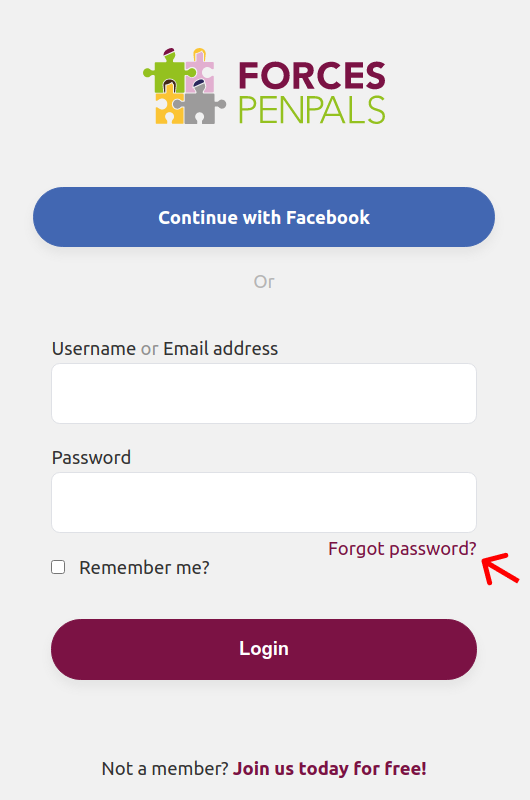
You should see a page that looks like this:
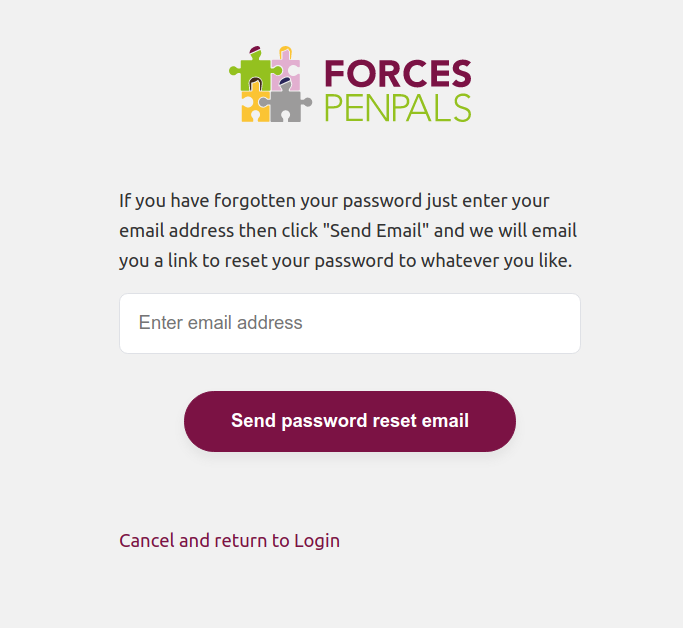
2. Enter your email address and click the Send password reset email button.
Now, check your email, you should have received an email from us with the subject: Reset your password
If it's not in the Inbox, check Spam/Junk in case it ended up there. Searching for the email is also a good idea.
3. Click the Reset Password button in the email, it'll take you to the page where you can set your new password. It'll look something like this:
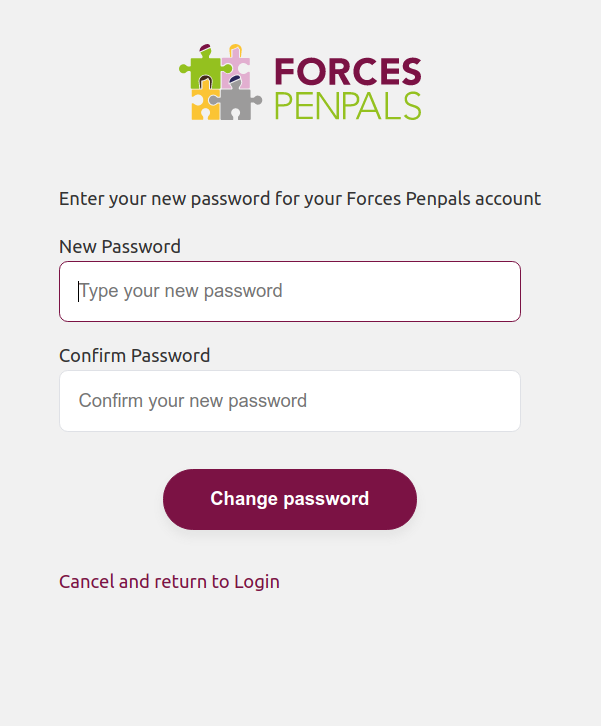
4. Enter your new password and click the Change password button.
You can now login with your new password, congratulations.
Comments
0 comments
Please sign in to leave a comment.